Viewing beneficiary information
There are two ways to view beneficiary information. You can view a summary of the information or you can view all of the details that have been saved for the beneficiary. The second method also lets you edit any of that information.
To view a summary of the beneficiary information
- Locate the beneficiary you want to view.
For more information, see Searching for beneficiaries. - Click in the column or choose from the dropdown list beside the beneficiary's name.
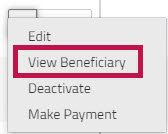
A summary of the beneficiary's information is displayed.
- To close the summary view, click the beside the beneficiary's name or click anywhere on the page.
To view the beneficiary details
- Locate the beneficiary you want to view.
For more information, see Searching for beneficiaries. - On the left side of the beneficiary's name, click the
 edit icon or choose from the dropdown list.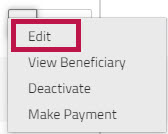
- Click the section that you want to view.
Note: If the beneficiary's status is , you can click a section heading to go directly to the section you want to view. However, if the beneficiary's status is , you will have to move through each step of the process for Creating a new beneficiary.